AI and Automation Tools for Landscape Contractors
AI is no longer just a chatbot that spits out a paragraph when you ask for one. In 2026, it can plug into the tools your business already uses, understand how your company operates, and actually complete work for you.
For landscape, hardscape, and outdoor living contractors, that matters because the biggest bottlenecks usually are not a lack of effort. It is busywork. It is follow-up falling through the cracks. It is inboxes getting buried. It is job photos sitting in folders and never turning into marketing. It is reports nobody has time to build.
The opportunity now is to use AI and automation to speed up what already works, tighten up conversion, and free your team to focus on higher value work.
Where AI fits in your growth roadmap
Most contractors think about growth in terms of leads, and that is obviously important. You need inquiries coming in. But lead generation is only one piece of the equation.
The bigger picture looks more like this:
Bring in quality leads through strong marketing.
Convert those leads with fast response times and a solid sales process.
Optimize the system so fewer opportunities are missed and more of the process runs consistently.
That last part is where AI becomes extremely useful. It helps with conversion and optimization, but it also touches the wider business. Done right, it supports marketing, sales, communication, reporting, and operations without replacing the human judgment that still wins jobs.
Why Claude stands out right now
There are plenty of AI tools on the market, and a lot of people started with ChatGPT. But the platform that is standing out right now for practical business use is Claude.
The reason is simple. Claude is not just good at conversation. It has become very strong at connecting to software, working from your company context, and carrying out tasks in a more operational way.
For contractors, that means it can move beyond writing help and start acting more like a capable office assistant.
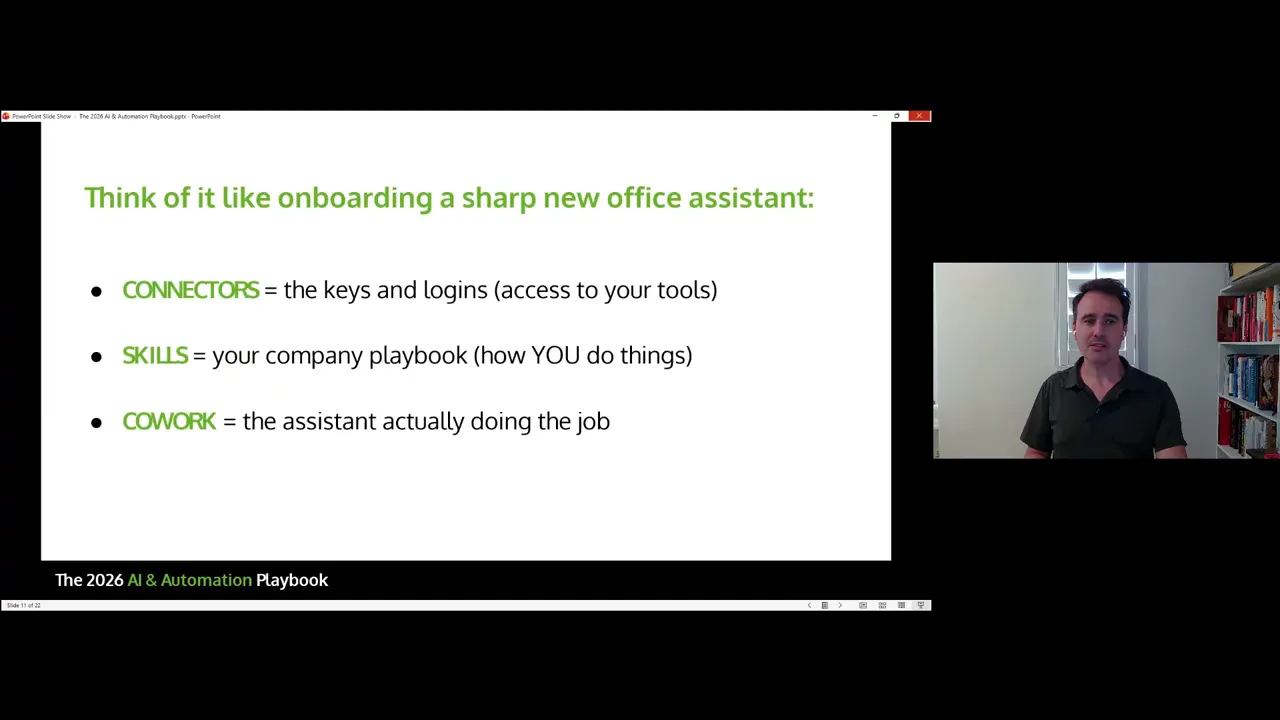
The easiest way to understand Claude is through three parts:
Connectors are the keys to your tools.
Skills are your company playbooks.
Cowork is the assistant that does the work.
Connectors: giving Claude access to your tools
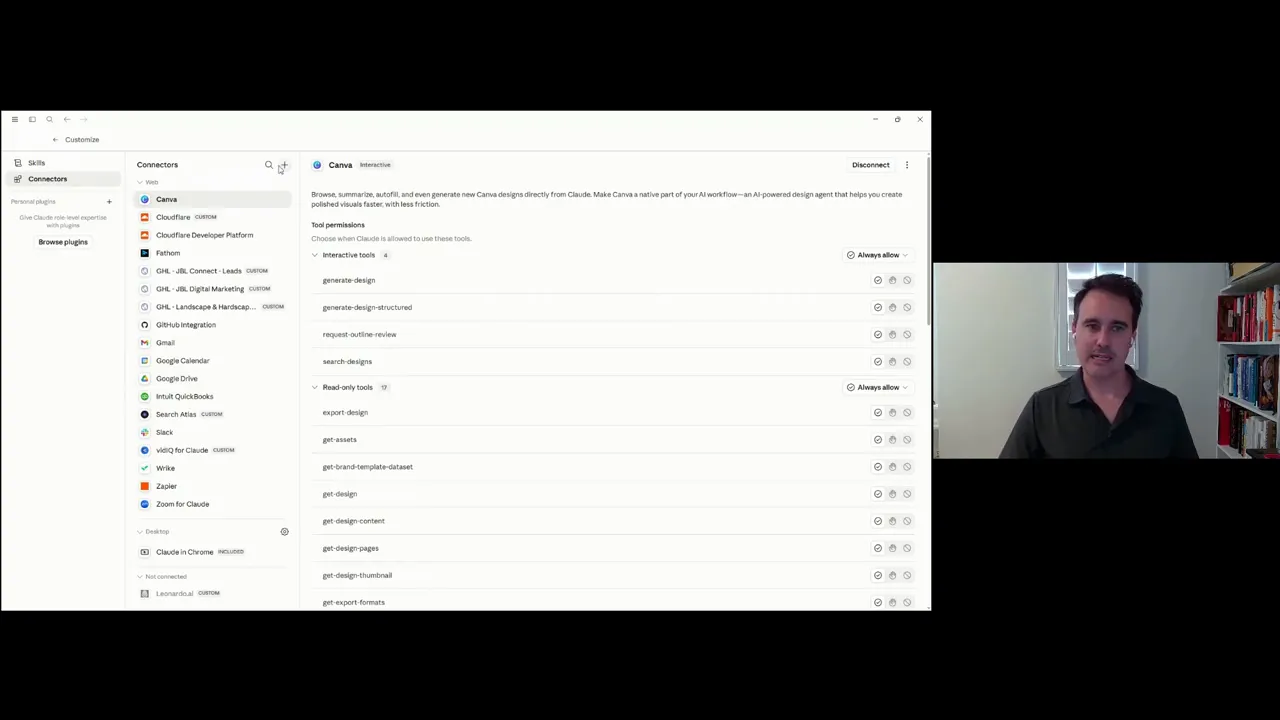
A connector is a secure link between Claude and one of your apps. Once you connect the tool, Claude can read information from it and, depending on permissions, take certain actions inside it.
That is the first major shift. Instead of AI living in a little chat box disconnected from your business, it becomes aware of the systems you already rely on.
Start with the software you already use
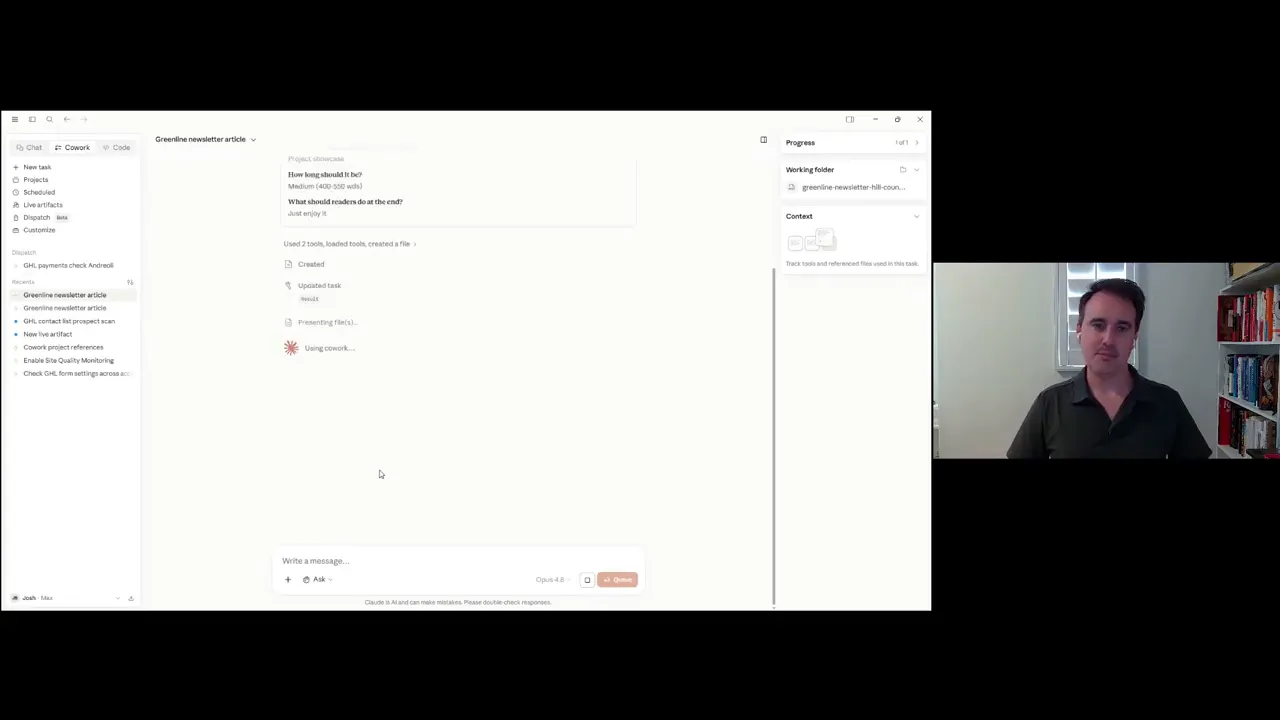
The easiest setup process is to look at your current stack and start there. For most contractors, the biggest wins usually come from a few familiar platforms:
Google Workspace
Microsoft 365
QuickBooks
Your CRM
Email
Google Drive or shared file storage
Calendar tools
If you are using Google, Claude can be connected to your email, calendar, and Drive files. If you are on Microsoft 365, the same idea applies. Financial tools like QuickBooks also make a lot of sense because reporting and follow-up around numbers can eat up a lot of time.
You stay in control with approvals
One of the best parts of using connectors is that you can set guardrails. You do not have to hand over full control.
For example, in Gmail, Claude can draft an email for you and wait for approval before anything gets sent. That means you get the speed without losing oversight.
This matters because the goal is not reckless automation. The goal is to remove repetitive effort while keeping human review where it counts.
What if your software does not have a native integration?
That is where custom connectors come in. If a tool does not have an official built-in connection yet, there is still a good chance you can link it using a custom setup or a bridge platform like Zapier.
So if your first question is, “Will this work with my stuff?” the answer is usually yes, or at least yes with a workaround.
A CRM is a good example. A custom connector can pull in data from your pipeline, lead records, and follow-up activity so Claude can surface what matters without you digging for it manually.
Cowork: the AI assistant that actually does the job
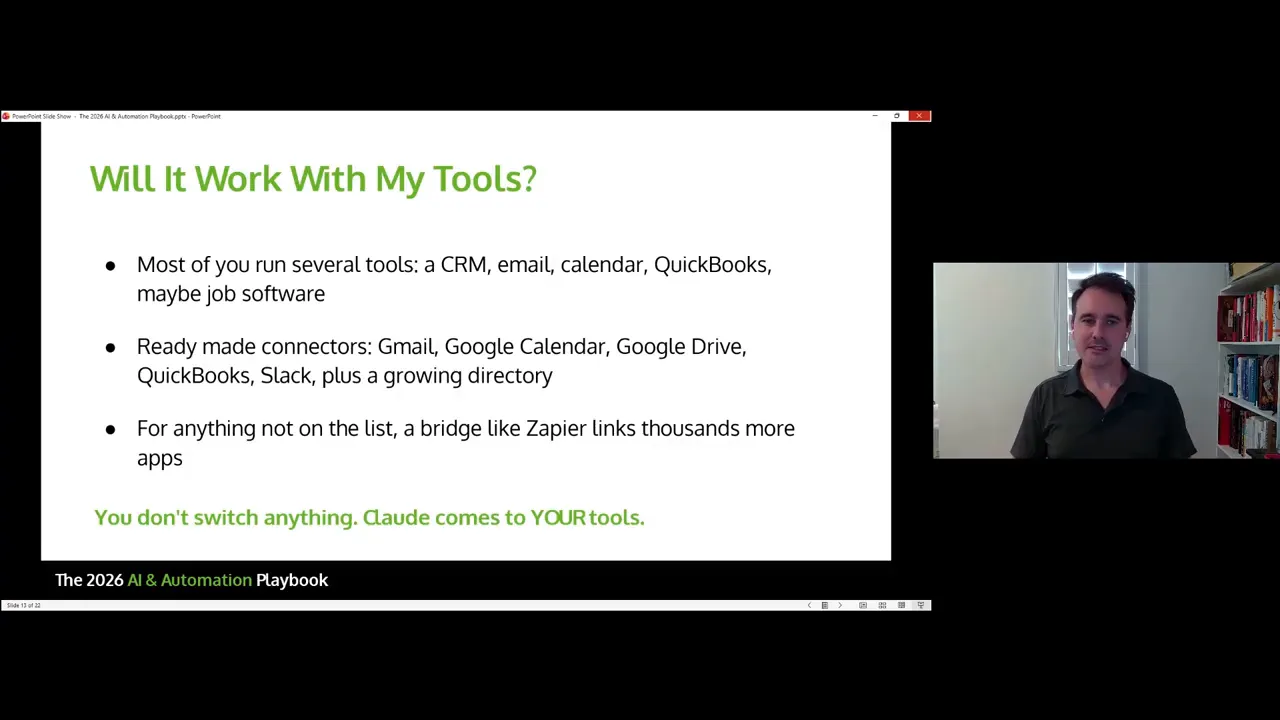
Regular chat is just that. You ask questions, and the platform responds.
Cowork is where things become much more useful. It takes a task, forms a plan, asks for clarification if needed, and then carries out the work.
That is a big difference.
You are no longer using AI only to think with you. You are using it to complete work for you.
How Cowork works
With Cowork, you give Claude a goal. It then:
Looks at the task.
Builds a plan.
Asks any necessary clarifying questions.
Uses your connected tools and context.
Completes the task and returns the output.
This feature is available on paid plans, and it is one of the strongest reasons to take Claude seriously as a business tool.
What contractors can use Cowork for
There are a lot of practical uses for this in a landscape or outdoor living company.
Recurring finance reports pulled from QuickBooks.
Email summaries that flag important messages or overdue replies.
CRM monitoring to surface leads at risk of going cold.
Content creation based on project folders, photos, or notes.
Folder cleanup for messy Google Drive structures.
Newsletter drafts built from recent jobs or uploaded assets.
Website or social content created from project documentation.
Imagine dropping fresh jobsite photos into a folder and having AI turn them into a project spotlight draft. Or imagine getting a Monday morning summary of everything urgent that came in over the weekend. Those are the kinds of tasks Cowork is built for.
|
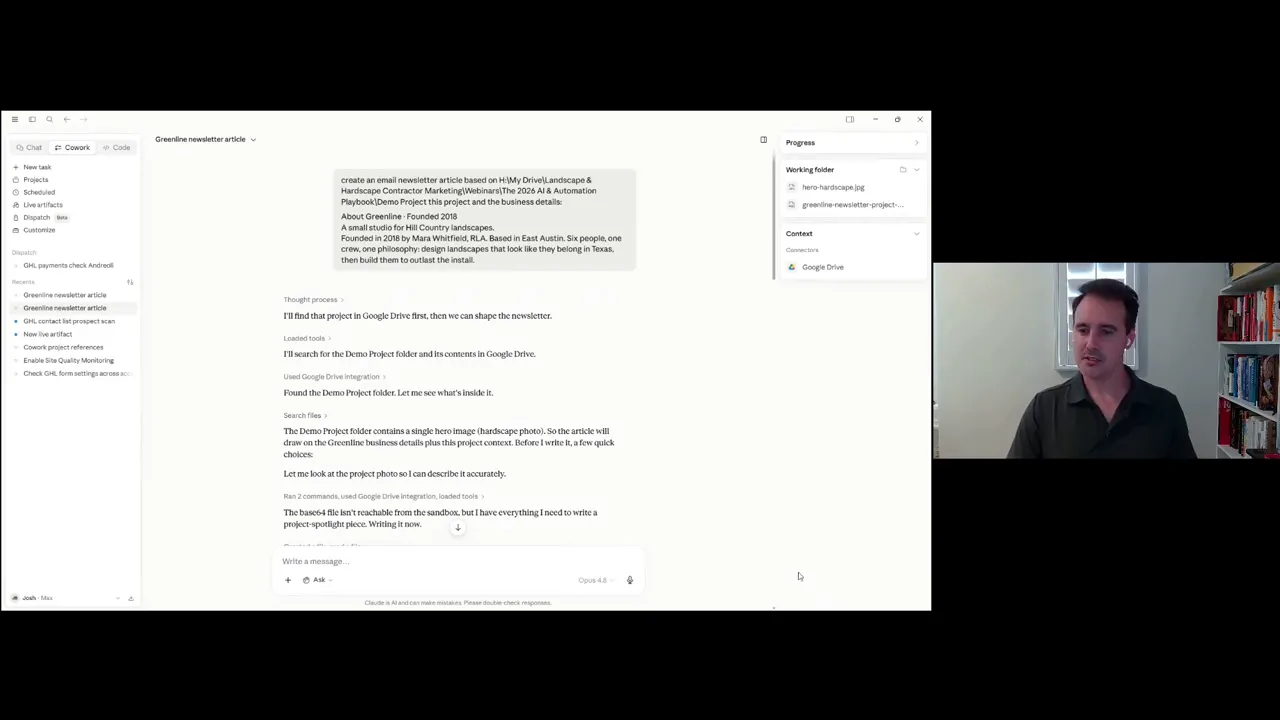
A simple demo: turning one project folder into a marketing asset
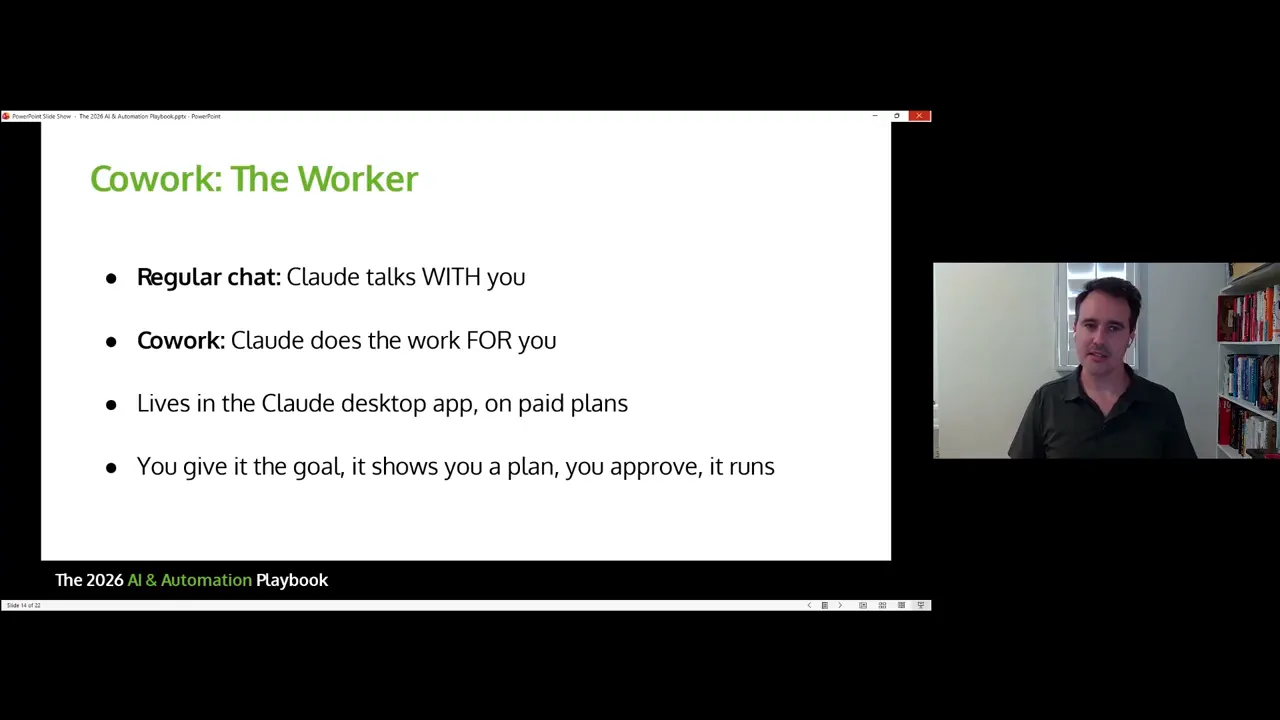
One of the clearest examples is using Cowork to create a project showcase.
In the demo, the setup was intentionally simple. A sample business had a project folder and a single photo. Claude was asked to turn that into a written piece highlighting the project.
Even with minimal context, it was able to produce a usable draft. It asked a few follow-up questions, such as:
What is the angle of the piece?
How long should it be?
What should the reader do at the end?
That is useful because it mirrors how a capable assistant would work. It does not blindly guess every detail. It asks what it needs, then proceeds.
From there, the task can expand. The output could be:
saved to Google Docs
turned into an email draft in Gmail
adapted into a newsletter
repurposed for the website
used for social content
There was one practical hiccup in the example that is worth noting. Claude had trouble rendering the image directly from Google Drive at first, but once the image file itself was supplied, it handled the task. That is a good reminder that AI workflows still need testing and occasional adjustment. When something does not work one way, there is usually another route.
Skills: teaching Claude how your company does things
Connectors give Claude access. Cowork gets Claude doing tasks. Skills are what make the output sound and operate like your business.
A skill is basically a reusable instruction set. Instead of repeating your rules every time, you train Claude once, save the playbook, and let it use that standard again and again.
That might include:
brand voice
tone
formatting preferences
response structure
sales process standards
review reply guidelines
lead intake procedures
Why skills matter
Without skills, you are constantly re-prompting. You keep telling AI the same things:
use this tone
follow this structure
mention these points
avoid these phrases
write like our brand
That gets old fast, and it creates inconsistency.
With skills, those rules persist. If something needs adjusting, you tweak the skill once and test again. Over time, the output gets tighter and more aligned with how your company actually communicates.
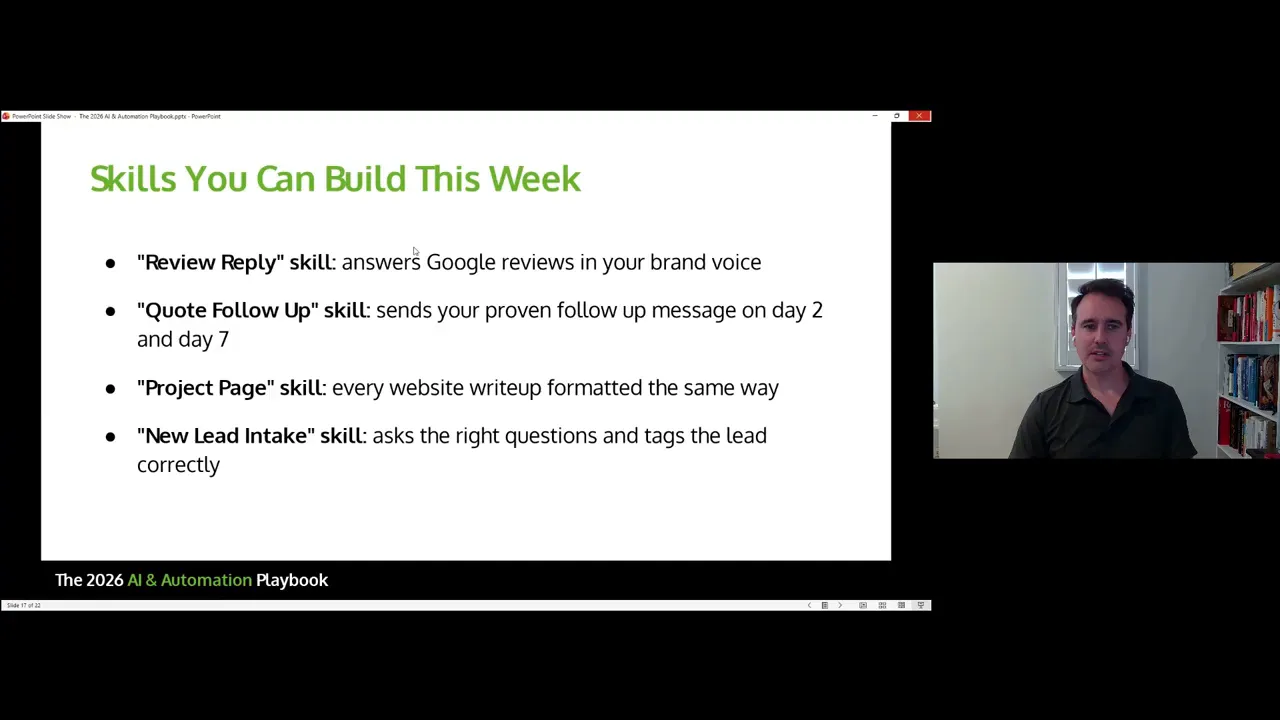
Easy first skills to build
If you are just getting started, do not overcomplicate it. A few very practical skill ideas stand out right away.
Google review replies in your brand voice.
Quote follow-up messages that match your sales style.
Project showcase writing with a repeatable structure.
New lead intake questions and qualification flow.
Review replies are a particularly easy win. They are repetitive, public-facing, and brand-sensitive. That makes them perfect for a saved skill.
Projects: giving Claude more business context
Another useful layer is the project context inside Claude. This lets you feed in business-specific materials so the system has more to work from.
That can include:
Google Docs
Google Sheets
Word documents
simple text files
reference materials for messaging and operations
If skills are the rules, projects are the background knowledge. Together, they make outputs much more relevant and much less generic.
For a contractor, this could include service descriptions, ideal customer details, sales scripts, brand standards, proposal language, FAQ answers, and examples of past content that already works well.
Scheduled tasks: where automation starts compounding
One of the most powerful parts of Cowork is scheduling. Once a task is dialed in, it does not need to live as a one-time workflow. It can run daily or weekly.
As long as the computer is on and connected, those scheduled jobs can keep working in the background.
This is where real efficiency starts to stack up.
Think about the routine tasks that drain your team every week:
checking inboxes for urgent messages
reviewing leads that have stalled
assembling reports
sorting and renaming files
building first drafts for content or follow-up
Those are not difficult tasks. They are just time-consuming and easy to postpone. Scheduling Claude to handle the first pass can eliminate a lot of that friction.
A great first scheduled task
A strong beginner use case is a Monday morning email briefing.
Set Cowork to scan the previous few days of emails, especially Friday through Sunday, and flag anything high priority that needs attention before the week gets moving.
That single automation can help keep opportunities from sitting untouched after a busy weekend.
Pulling it all together: keys, playbook, worker
If you remember nothing else, remember this framework:
Connectors give AI access to your tools.
Skills teach it your standards.
Cowork puts it to work.

That combination is what turns AI from a novelty into an operational system. Once Claude can read your emails, see what is happening in your CRM, understand how your company communicates, and then execute tasks on a schedule, it starts behaving like a real assistant.
This is not about replacing your team
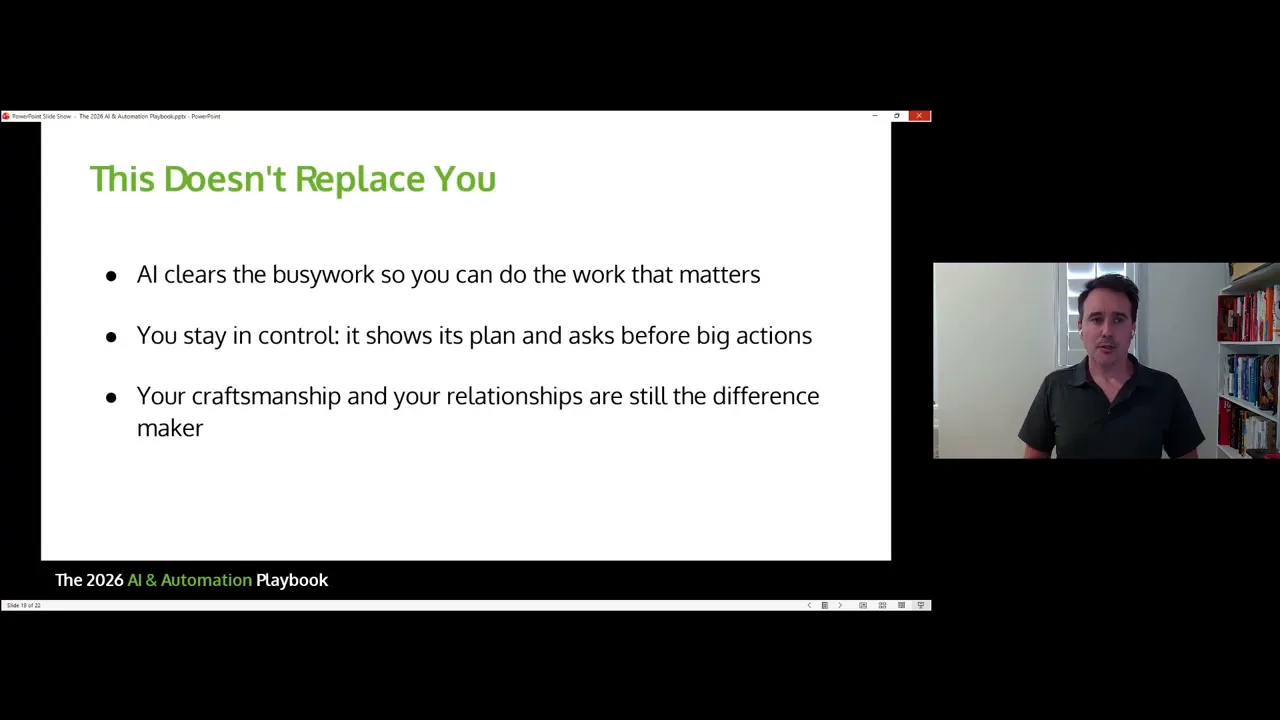
It is worth being clear about this. AI does not replace the need for people who know how to sell, communicate well, make judgment calls, and deliver a great customer experience.
The point is not to remove human involvement from your business. The point is to remove drag.
AI clears the repetitive work so you can focus on the parts that matter most. You still monitor outputs. You still review important actions. You still adjust the system as your business evolves.
In other words, AI is best used to amplify a strong team, not substitute for one.
Your starter plan for this week
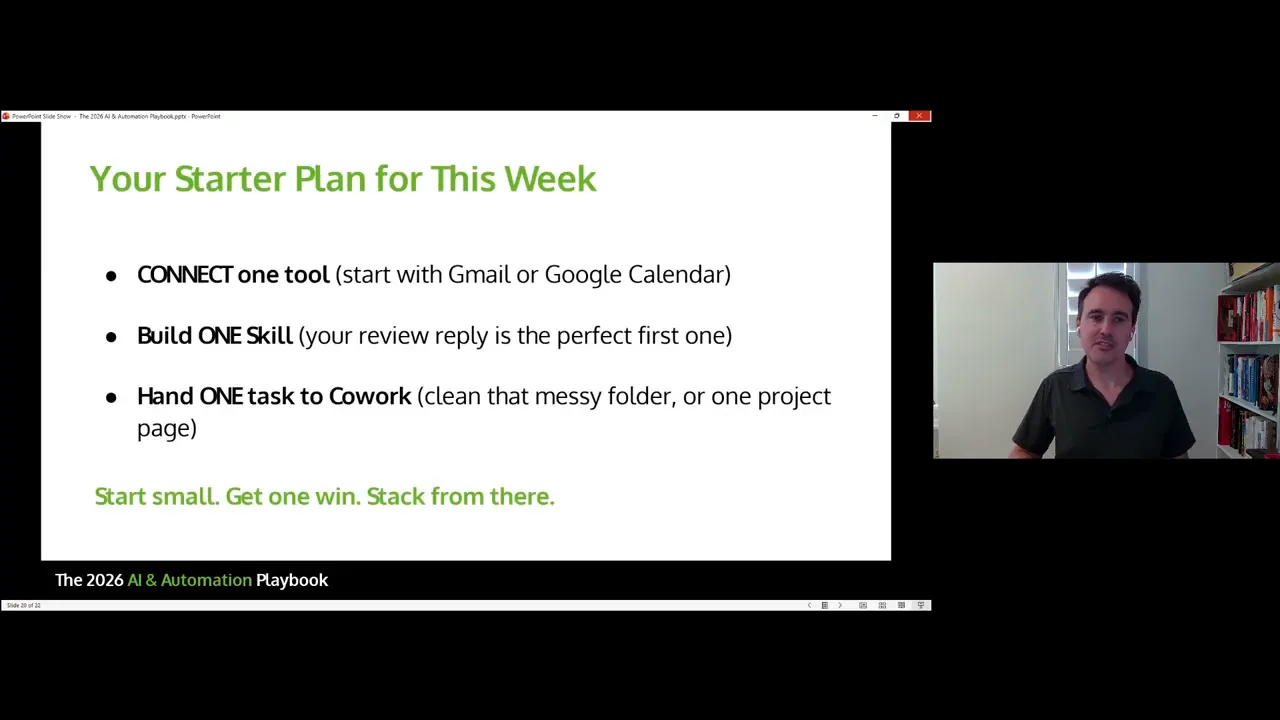
The smartest way to implement this is to start small and get a quick win.
Do not try to automate everything in one shot. Build one useful piece, make sure it works, then stack from there.
A strong starter plan looks like this:
Connect one tool. Email is a great place to begin. Google Calendar is another solid first step.
Build one skill. Start with review replies or another repeatable response your business uses often.
Run one Cowork task. Try a weekly folder summary, a weekend email scan, or a simple project content draft.
That is enough to prove the value without overwhelming your team.
Final takeaway
Landscape and hardscape businesses do not need more random tech clutter. They need systems that save time, improve follow-up, and help the team stay focused on work that actually grows the company.
That is what makes this version of AI different.
When Claude is connected to your tools, trained on your standards, and assigned recurring work, it stops being a fun experiment and starts becoming useful infrastructure.
Start with one connector. Build one skill. Schedule one task. Then keep stacking the wins.

Josh Blakeley
Founder of Landscape & Hardscape Contractor Marketing and author of Backyard Empire. A member of the California Landscape Contractors Association (CLCA), Josh has helped contractors book more high-value jobs through done-for-you marketing built only for outdoor living pros.